Run the business from one tidy workspace.
Countertop Office is the first live Countertop Software product. Clients, quotes, contracts, jobs, invoices, purchases, stock, documents and GST-aware accounting stay connected, so the next record is already where you need it. Overdue invoices get chased automatically, and BAS and TPAR come straight off the work you have already recorded.
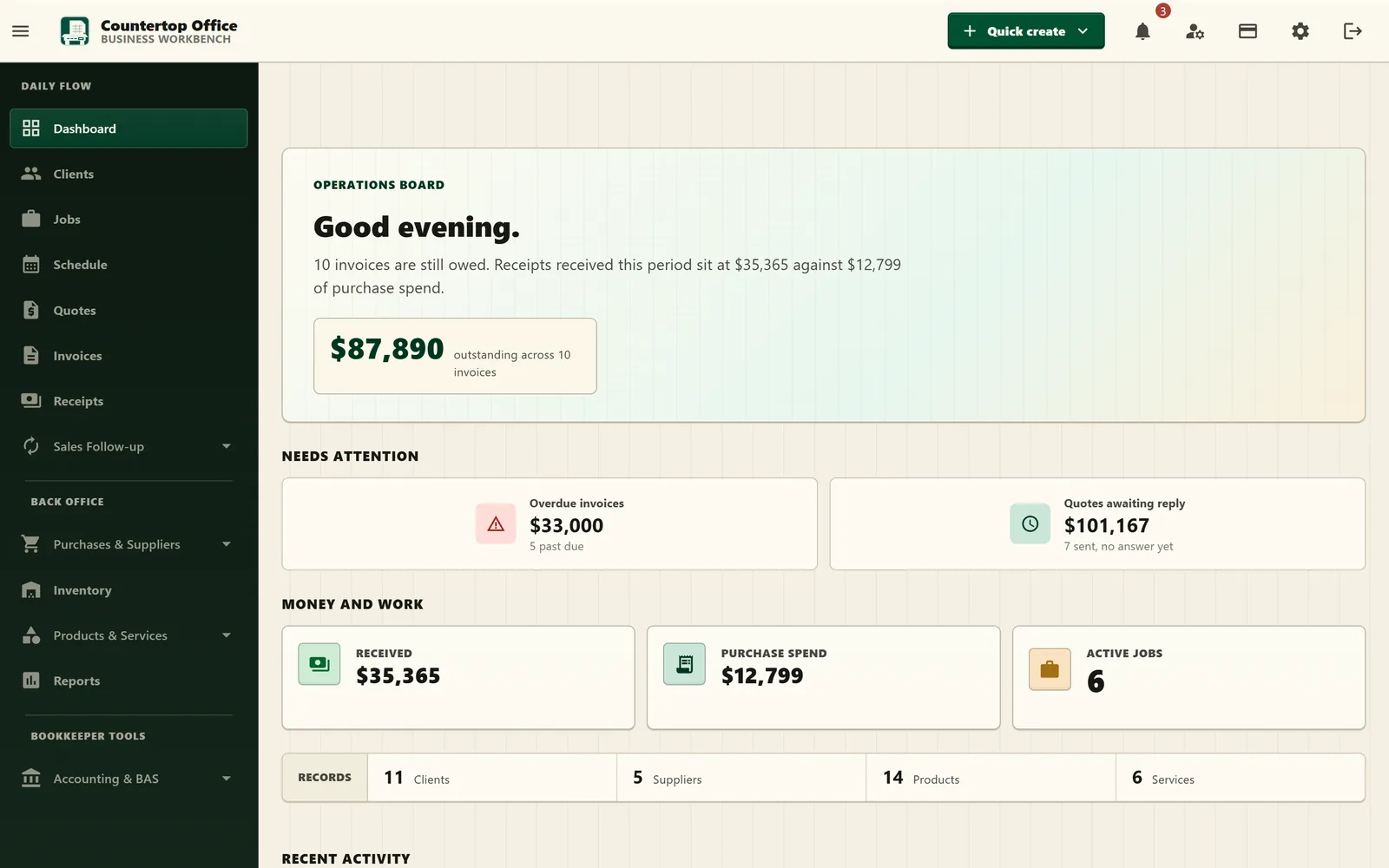
From quote to signed work, billing and BAS without retyping the same record.
Countertop Office is built around ordinary business records. Scope, costs, approvals, documents and accounting context carry forward instead of being rebuilt in each workflow, and every record shows its next action so nothing sits waiting on a decision no one can see.
- 01
Quote
Build the quote from clients, products, services and reusable templates, then send it for online approval.
- 02
Contract & job
Confirm scope through contracts, then schedule crews, visits, time, materials and variations.
- 03
Invoice & receipt
Issue one-off or recurring invoices from saved work, record receipts, and let reminders chase what is late.
- 04
Accounts & tax
Reconcile banks, prepare BAS and TPAR, and review stock, purchases, WIP and financial reports.
Sales, field work, purchasing, stock, documents, tax and accounts share the same source of truth.
The app is broad, but the daily surface stays practical: records, lifecycle actions, approvals, portals, templates, documents and reports.
Sales & clients
Move customer work from enquiry to payment.
- Clients with payment terms, contacts and attachments
- Quote templates, branded PDFs and public approval links
- Contracts and staged billing plans from saved work
- Invoices, recurring invoices, credit notes and receipts
- Automatic overdue reminders with follow-up and final notice
Jobs & field work
Schedule, run and bill work without losing scope.
- Jobs from quotes or templates, with phases, tasks and notes
- Schedule board with crew assignment and double-booking warnings
- Visits, checklists and on-site sign-off
- Time entries and material usage posted against the job
- Variations, billing preview and field-work invoices
Purchases & expenses
Control supplier spend from order to payment.
- Purchase orders through submit, approve and receive goods
- Approval tiers so bigger orders need the right sign-off
- Replenishment suggestions from stock levels and supplier terms
- Supplier invoices, credits and payment allocations
- Expenses with draft, submit and approval flows
Inventory & catalogue
Know what you sell, stock, build and reorder.
- Products, services, tax codes and payment terms
- Multiple currencies with your own exchange rates
- Stock locations, movements, adjustments and transfers
- Low-stock alerts and reorder levels per product
- Product assemblies and build runs
Accounting, banking & tax
Keep bookkeeping workflows tied to the records that created them.
- Chart of accounts, journals and reversals
- Bank statement import, matching, rules and reconciliation
- Trial balance, P&L, balance sheet and cash flow
- GST summary and detail, with a BAS worksheet PDF
- BAS and TPAR prepared, handed off to the ATO, then revised
Documents & portals
Send and tailor the business documents customers and suppliers see.
- PDF template editor with presets, styling and revisions
- Message templates and editable send content
- Quote, contract and client portals with drawn signatures
- Delivery history and a per-document activity timeline
- Attachments on supported records
Reports & insights
See how the business is actually doing.
- Sales summary, ageing and payment performance
- Revenue by client, product or service
- Job profitability and job work-in-progress
- Customer profitability, statements and supplier ageing
- Purchase summaries, spend by supplier, stock and valuation
Setup & first run
Get a working company without a consultant.
- Guided setup checklist that tracks what is left
- Optional starter kits for trades, services, workshop or retail
- Default chart of accounts, tax codes and PDF templates
- CSV/XLSX import for clients, suppliers, products and accounts
- Sensible defaults you can change at any time
Company controls
Keep access, history and billing under control.
- Custom roles built from over 90 granular permissions
- Home views that match the role: owner, admin, bookkeeper, field
- Two-factor authentication, recovery codes and account management
- Audit log, locked dates and company settings
- Records soft-deleted so financial history stays intact
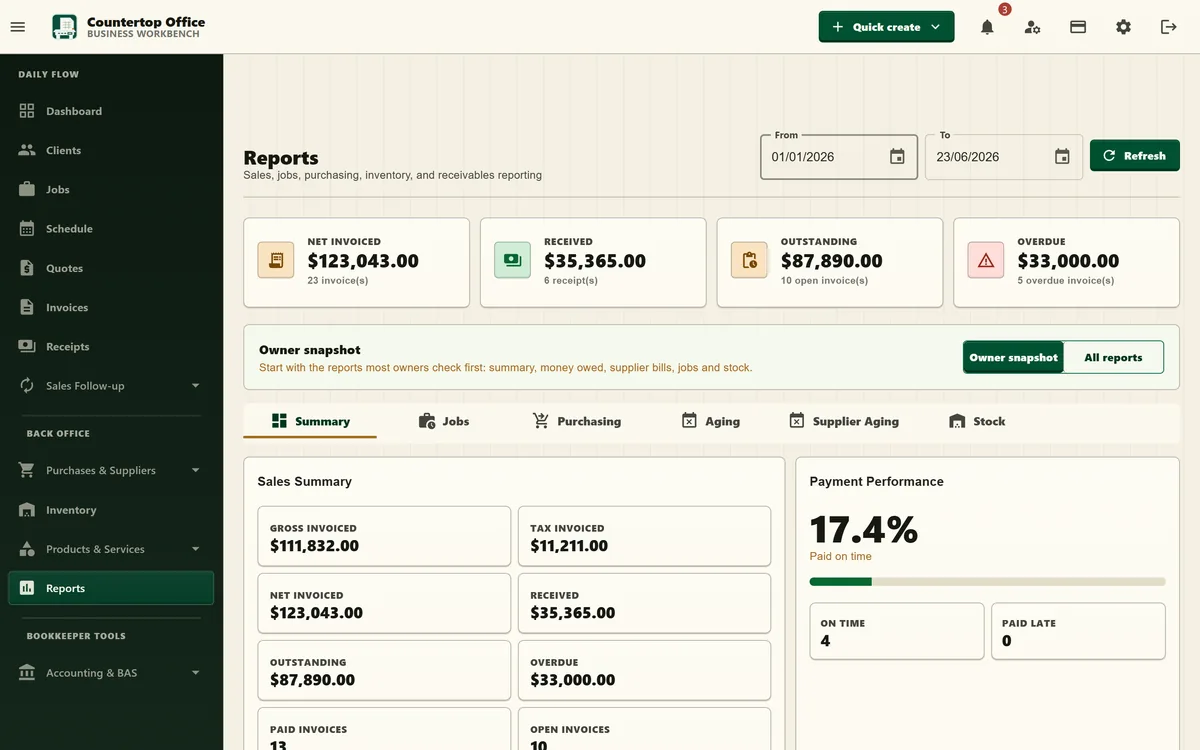
The same screens your team works in.
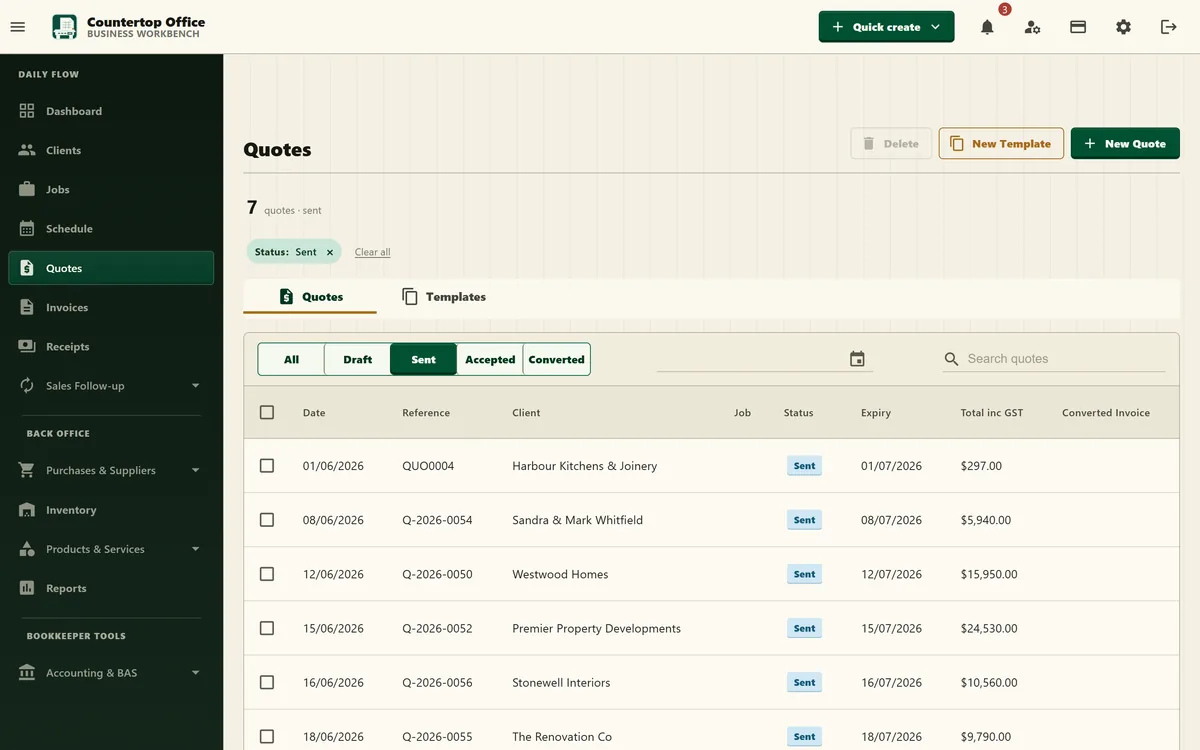
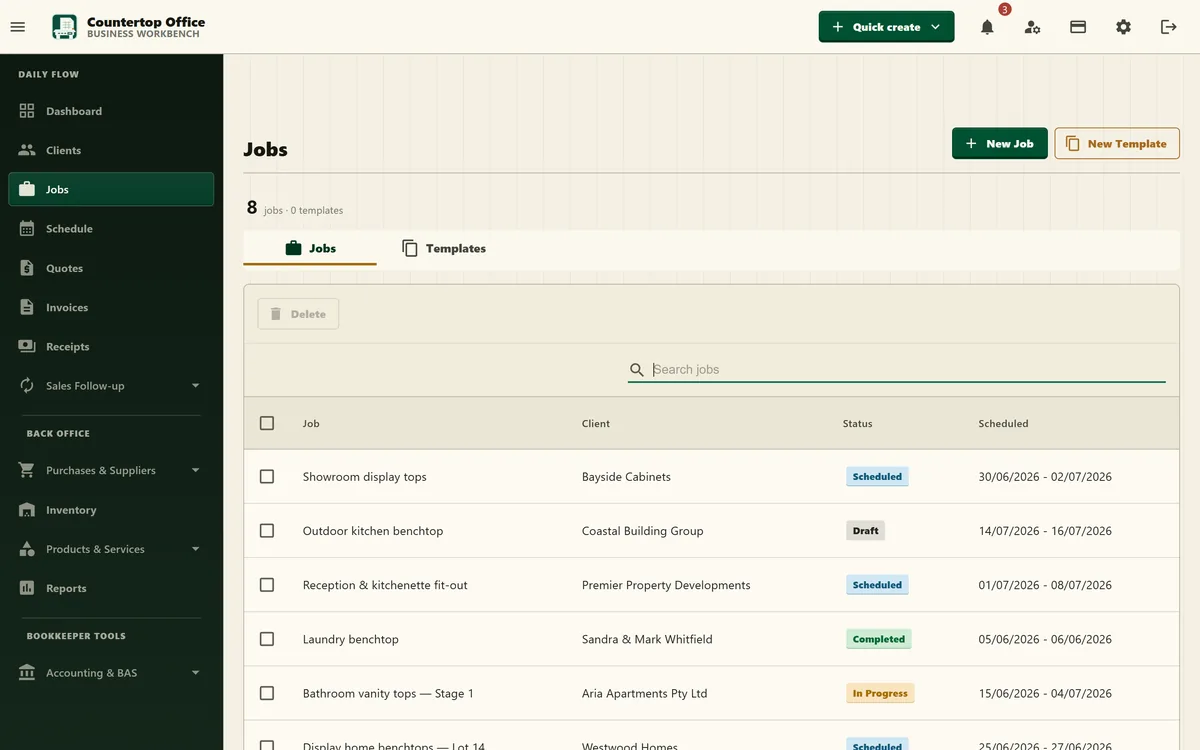
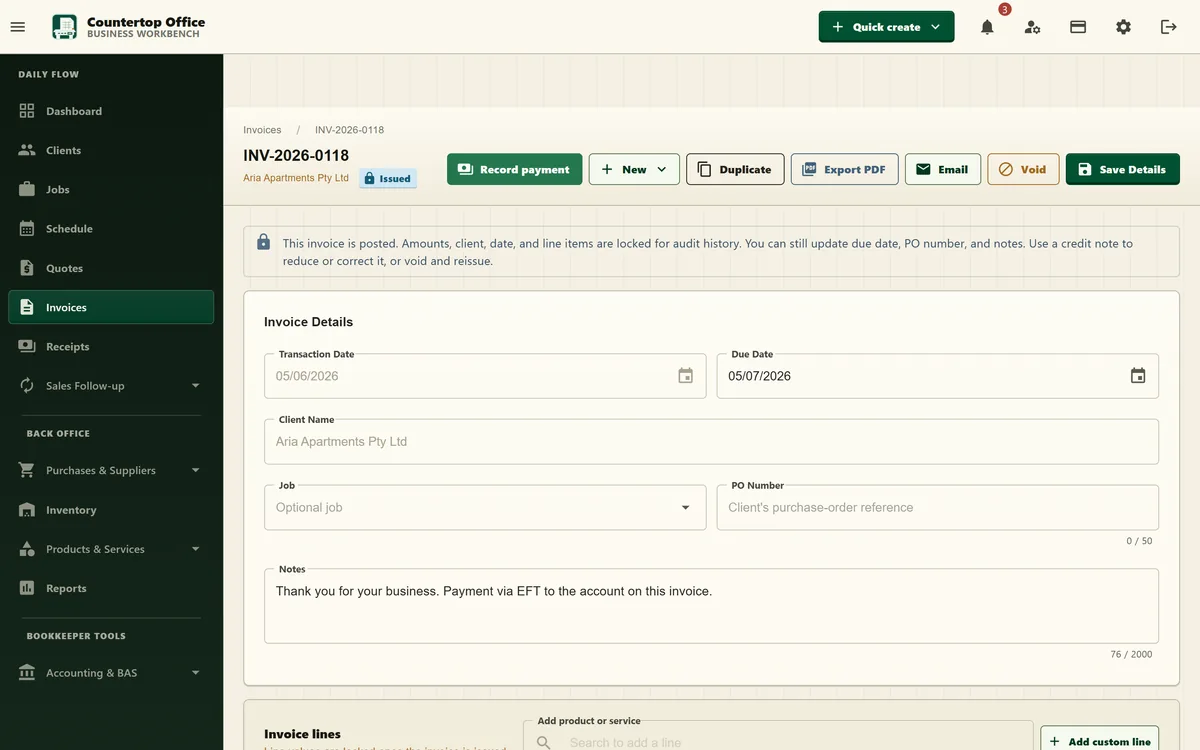
Sales, jobs, invoices and reports run off one set of records, so the detail you enter once carries through the wider workflow.
- Quotes
- Jobs
- Invoice
- Reports
The quiet details keep records usable.
These are not separate add-ons. They are the small controls that make everyday admin less fragile.
- Next action Every quote, invoice, job, purchase order and BAS shows the one step that moves it forward.
- Role-based home Owners, admin, bookkeepers and field staff each land on the view that suits their day.
- Overdue reminders Chase unpaid invoices automatically, escalating from reminder to follow-up to final notice.
- Recurring invoices Set the schedule once; invoices generate on their own, and can be paused or resumed.
- Contracts Generate from quotes or jobs, export PDFs, and collect drawn signatures through the public portal.
- Document delivery Send invoices, receipts, quotes, purchase documents and statements with delivery history.
- Field-work billing Turn visits, time and materials into billable work from the job screen.
- Purchase approvals Move orders through draft, submit, approve, receive and cancel, with value-based tiers.
- Bank reconciliation Import statement lines, match transactions, create journals and apply bank rules.
- BAS & TPAR Prepare from your own records, export the worksheet, follow the guided ATO hand-off, mark lodged and revise.
- Inventory control Track locations, transfers, adjustments, low stock, assemblies and build history.
- Multi-currency Bill and buy in other currencies with the exchange rate stored on the transaction.
- Data import Bring in ledger accounts, tax codes, currencies, bank accounts, suppliers, clients, products and services.
- Billing plans Raise progress invoices, complete staged work and cancel plans when needed.
- Notifications Route workflow events back to the right record with unread counts.
- Permissions & 2FA Gate sensitive actions, build your own roles, require 2FA and reset recovery codes.
- Audit trail Review company-level changes with filters and locked-date warnings.
How Countertop Office fits your trade, and how it compares.
Trade pages show the work each one runs through the app. Comparisons are honest about where another tool is the better choice.
Common questions about Countertop Office.
What the software is, who it suits, and how it handles Australian GST, BAS and mobile work.
What is Countertop Office?
Countertop Office is all-in-one business management software for Australian small businesses. It connects clients, quotes, contracts, jobs, invoices, recurring invoices, receipts, purchases, stock, documents and GST-aware accounting in one workspace, and prepares BAS and TPAR from the same records.
Who is Countertop Office for?
It is built for small and medium Australian businesses across trades and service industries: owners, admin staff, tradespeople and bookkeepers who want quoting, contracts, invoicing, field work, stock, purchasing and accounts in one place instead of spread across spreadsheets. Optional starter kits set up defaults for trades and installers, service businesses, workshops or stock-heavy retailers.
Is Countertop Office GST and BAS ready?
Yes. Lines can be GST inclusive or exclusive, and the app prepares BAS and the Taxable Payments Annual Report from your own records, with GST summary and detail reports, a worksheet PDF, double-entry accounts, bank reconciliation and bank rules. Countertop Office does not transmit anything to the ATO: it gives you a guided, field-by-field hand-off to enter in ATO Online services, then records the period as lodged and lets you revise it.
Does Countertop Office chase overdue invoices?
Yes. Overdue reminders send on a schedule you set, escalating from a first reminder to follow-ups and a final notice, and every send is logged against the invoice. You can also set up recurring invoices that generate on their own.
Does Countertop Office handle payroll?
No. There is no payroll engine, so wages and PAYG withheld are entered manually on the BAS as W1 and W2. Everything else on the activity statement is calculated from your invoices, purchases and journals.
Can I control what my team can see?
Yes. Alongside the built-in roles you can build your own from over 90 granular permissions, and navigation, actions and reports respect them. Accounts can be required to use two-factor authentication, and company-level changes are recorded in an audit log.
Does Countertop Office work on mobile?
Yes. Countertop Office is a web app designed for phones as carefully as desktops, so you can work on-site or at a desk with no install required.
Powerful enough. Simple on purpose.
Solo and Business both give you every Countertop Office feature. Choose 1 account or up to 20 to match the way your team works.